Features
Flow Video + Jump to Sequence/Possession
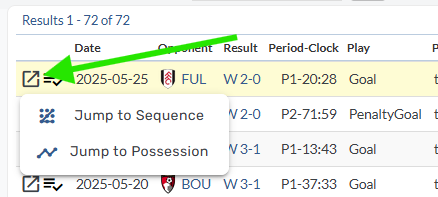
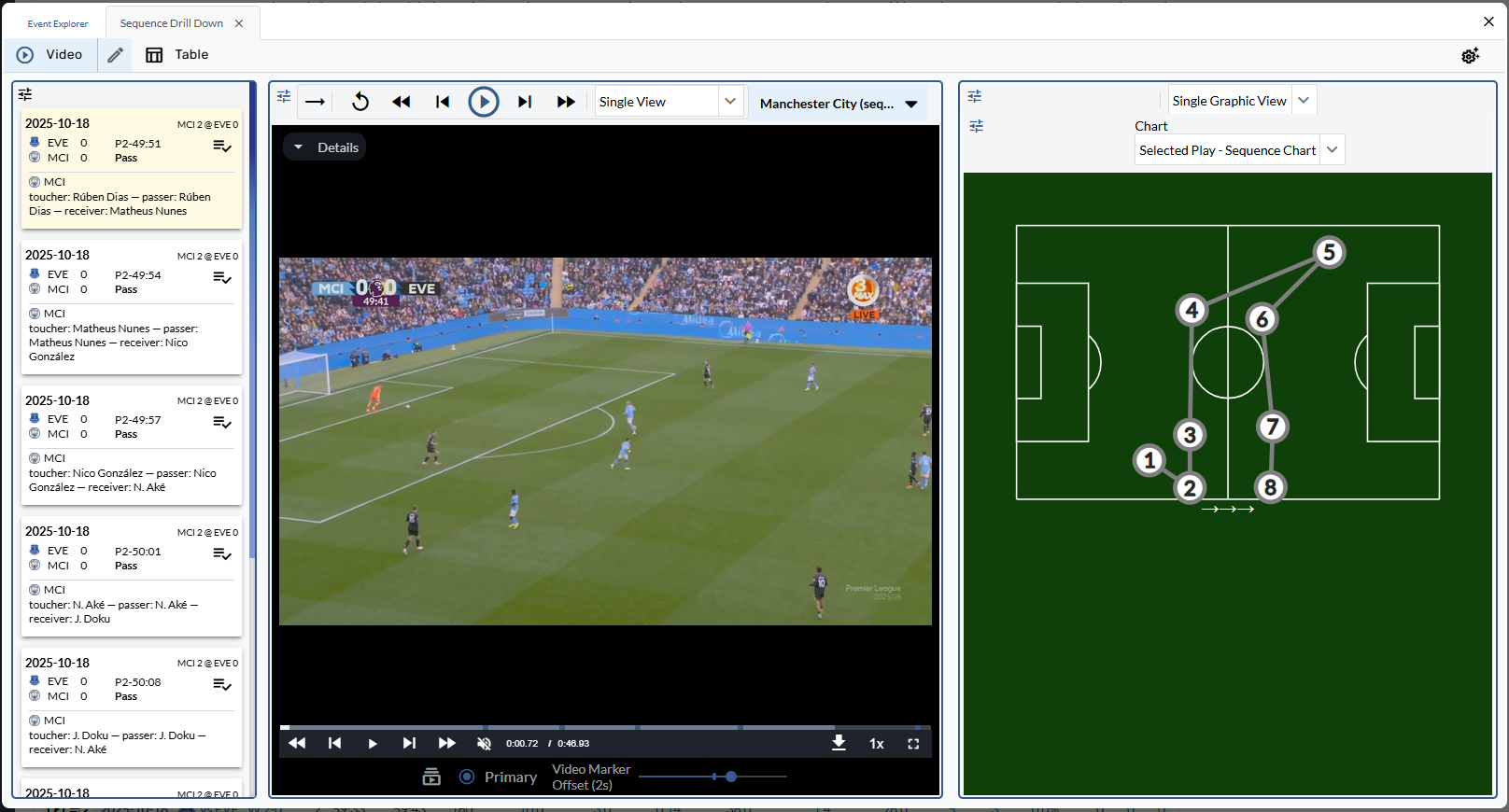
A new “flow video” experience has been added to Provision, allowing users to view sequences + possessions in a new tab in the event explorer. On Sequence Log pages, clicking the play icon will initiate the action. On Event Log tables, users can “Jump to Sequence/Possession” from a newly added icon.
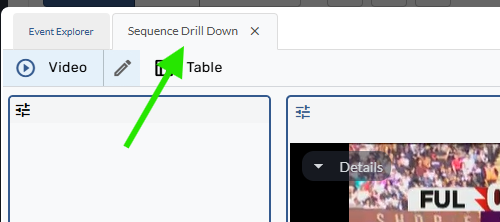
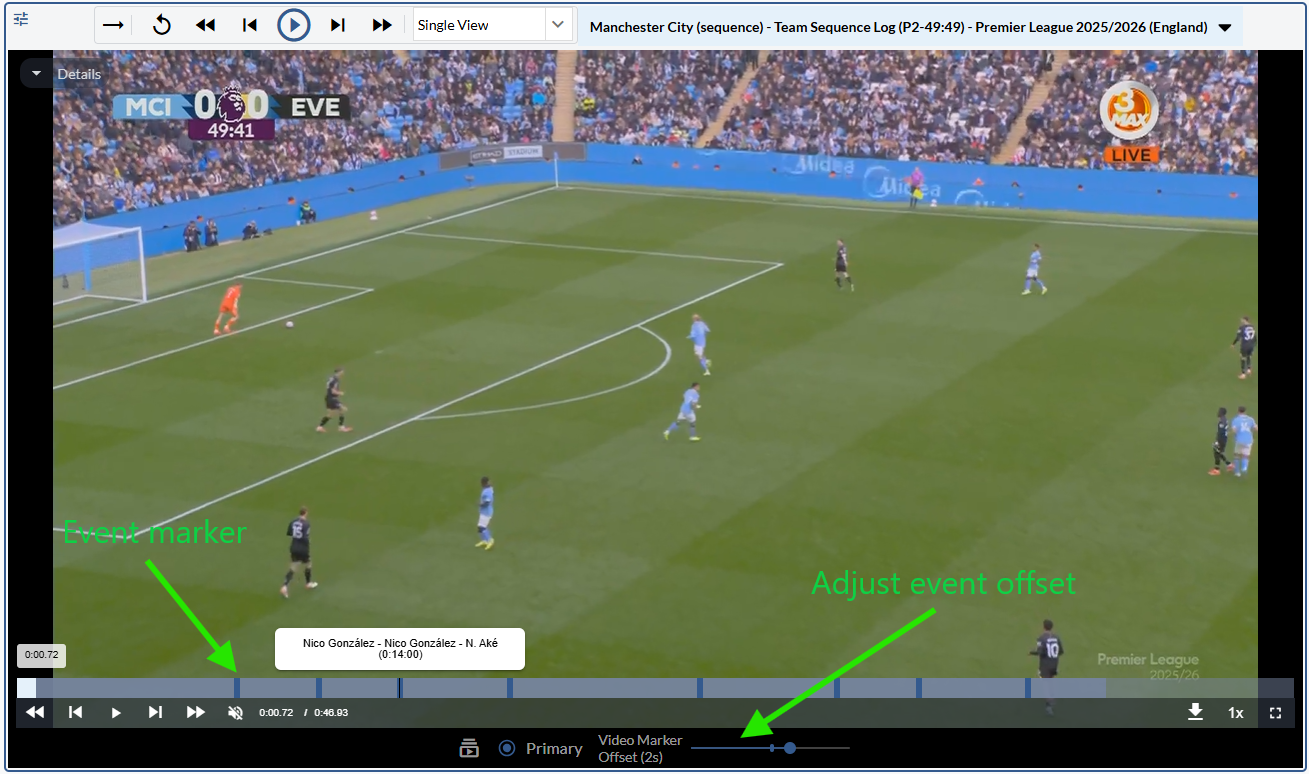
This will send the user to a new tab “Sequence Drill Down” in the Event Explorer which shows the Sequence/Possession in a more detailed manner. Events in the sequence/possession are now broken out into individual play cards and events in the table. Events are also marked accordingly on the video player with simple play description and timestamp information.
Two new graphics have been added to better visualize the selected sequence and possession: Sequence Chart and Possession Chart. These can be added in tab settings.
Recent Playlists
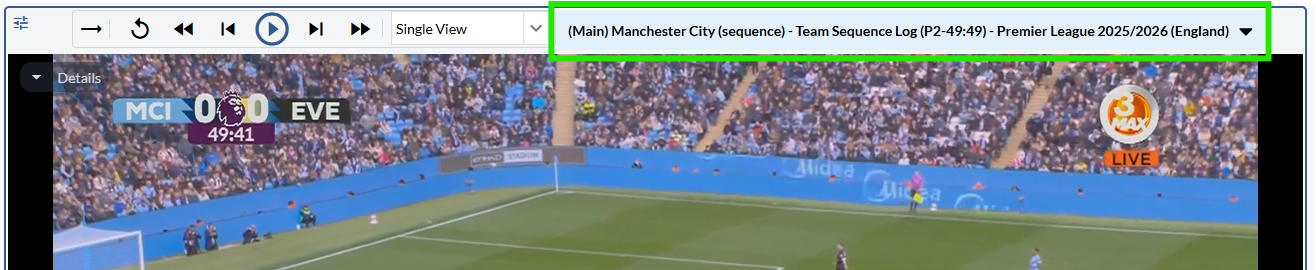
Playlists can now be changed in the event explorer. At the top of the video player, a new section with playlist details can be found. This description shows basic information of the playlist including team/player, selected stat, and the page filters.
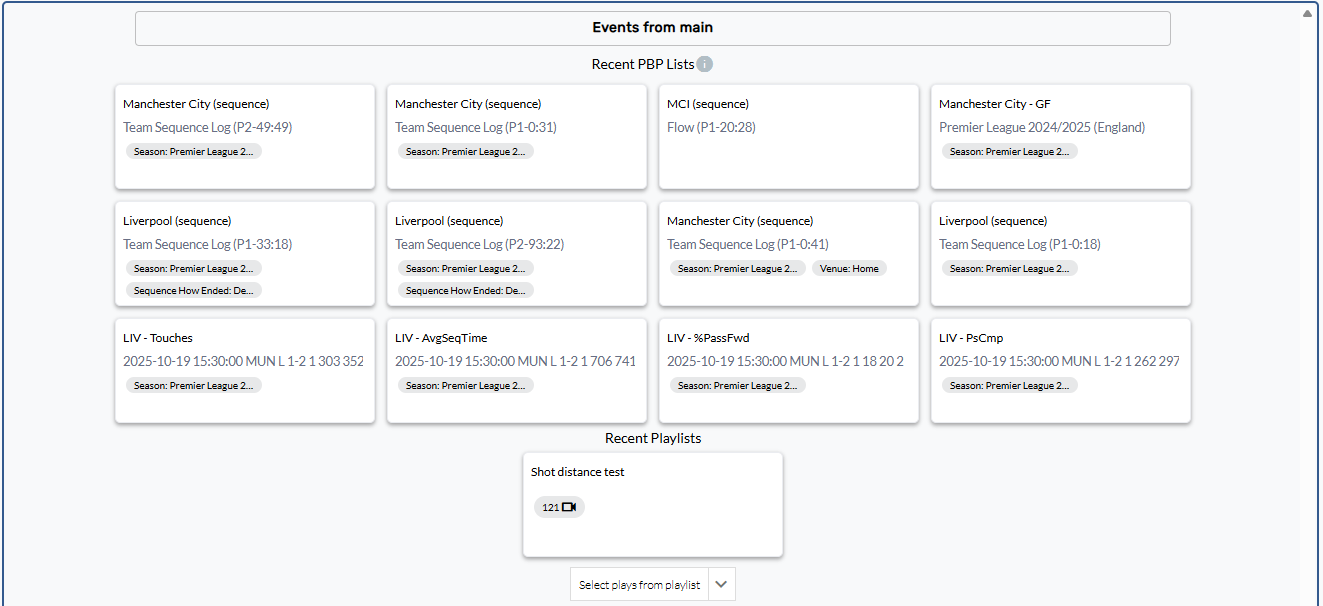
Clicking on this section will open a Recent Playlist menu showing a user’s recently viewed playlists, both event (clicking on a stat) and curated.
Enhancements
Sort a table by any stat without adding to report
Custom pages tables can now be sorted by a stat that isn’t included in the table’s report/stat assortment. This change allows users to sort a table by touches, for example, without needing to add the stat.
Bug Fixes
Fixed a bug where Player Shape Role filters weren’t loading options