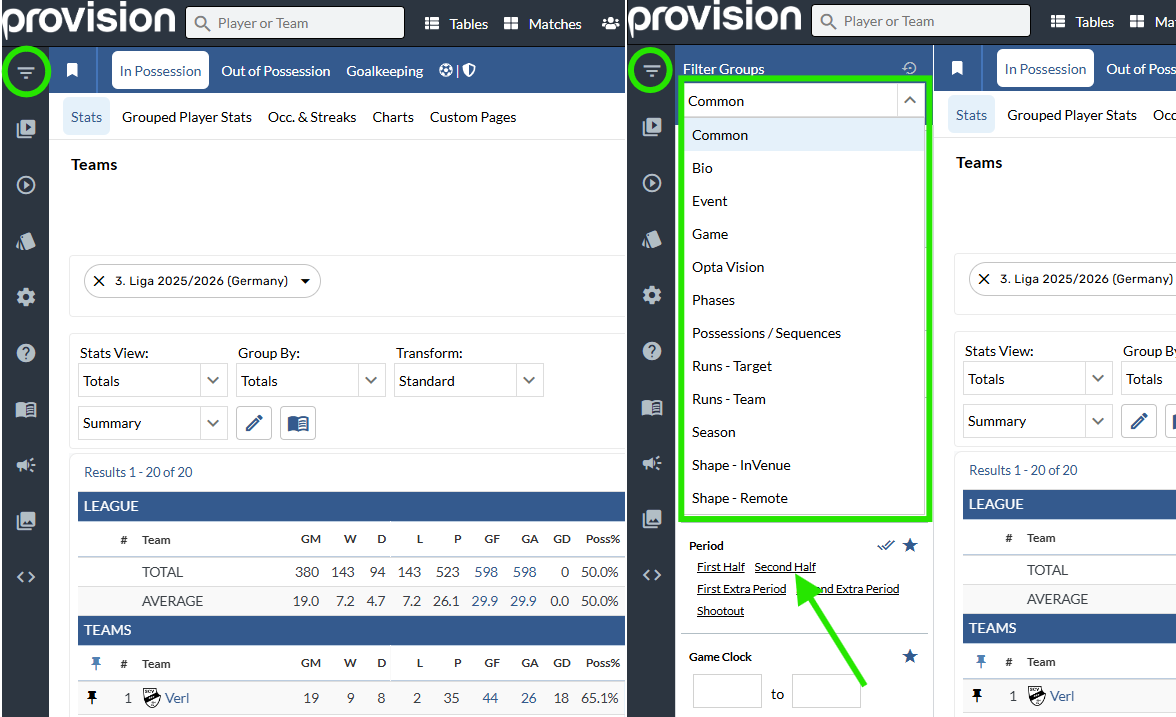
Filter Groups Menu
-
Tap the Filters icon in the top left to shrink / expand the Filter Groups menu.
-
Select a filter from the menu to add it to the search.
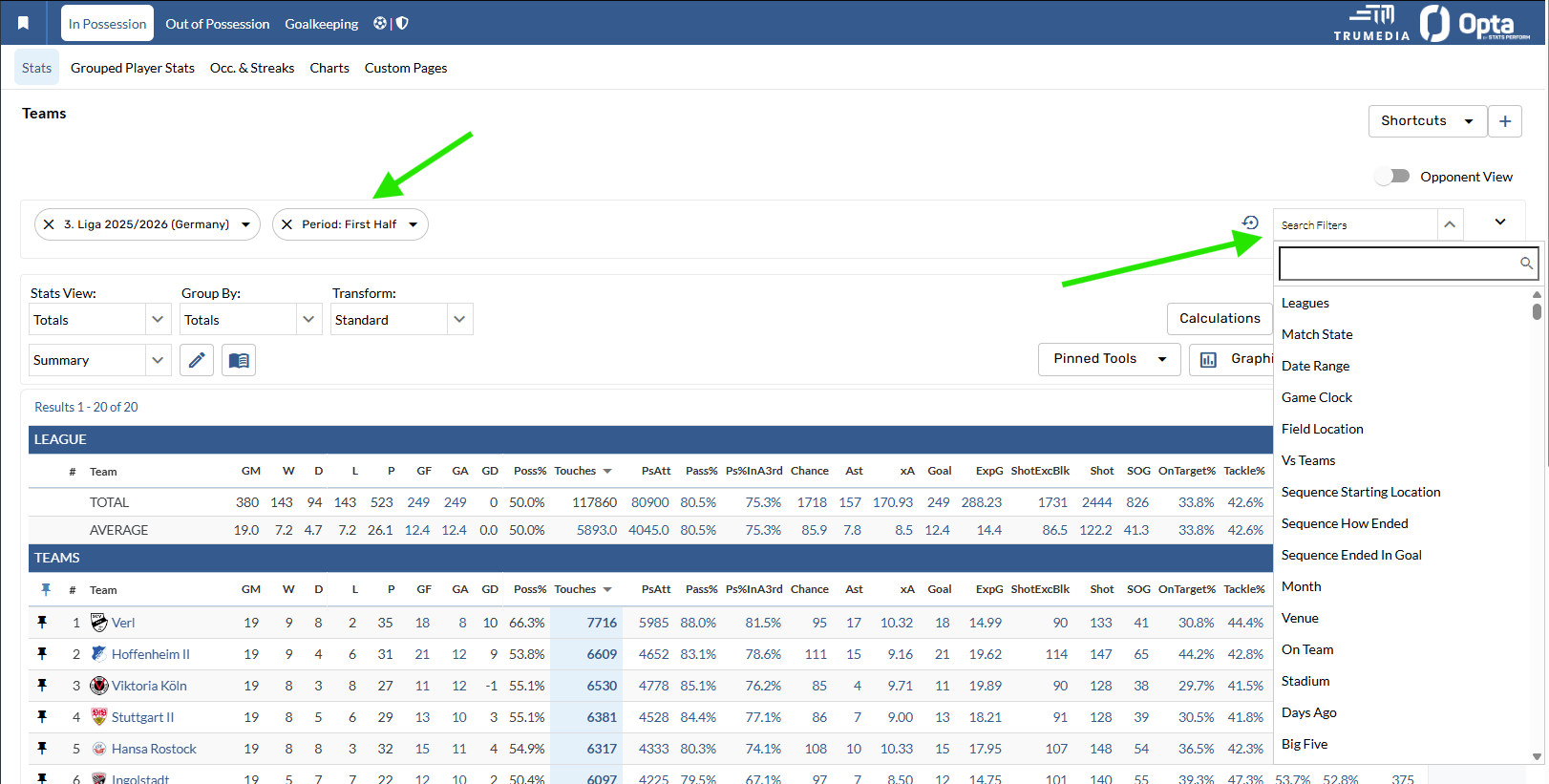
Search Filters Bar
-
Open the search bar in the right corner of the filters bar.
-
Type a filter name and select it to add the new filter.
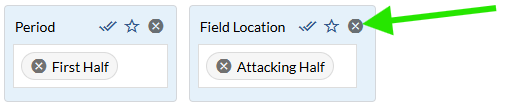
Remove an entire filter
-
Expanded Filter: Tap the delete button in the top right corner of the filter box.
-
Collapsed Filter: Tap the delete button on the left of the filter box.

Remove a single filter option
-
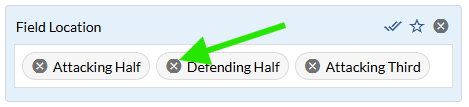
Tap the X next to the individual filter option to remove it.
Reset button
-
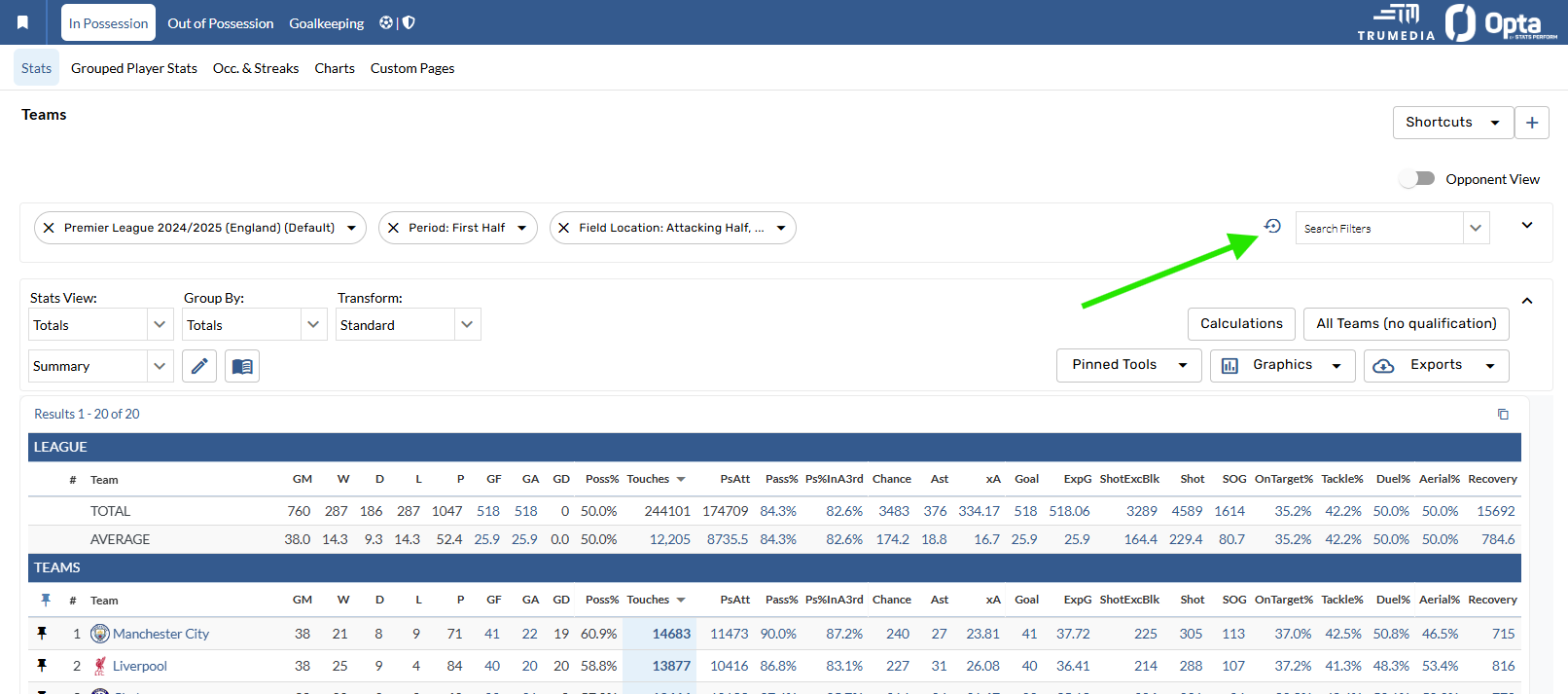
Tap one of the reset buttons to revert the page to your default filters.
Contact Us
Email the Support team